Video Stream Stack

Onsite OTT training for streaming, broadcast and telecom teams

Bring your team up to speed on OTT streaming

Choose one of three hands-on programmes, delivered at your premises or live online. Your team analyses and diagnoses real streams in labs, and leaves able to handle the issues they meet every day.

Training only a few people? See the online courses
Official training partner ofIAMT, International Association of MediaTech
New engineers, support and NOC

OTT Streaming Fundamentals

New hires take months to work on their own, and your experts spend their days explaining the basics.

See the programme
Ad operations and ad tech

Dynamic Ad Insertion

Failed ad breaks cost revenue, and few people on the team can explain why they fail.

See the programme
Live sports, events and betting

Low Latency OTT

Your live streams run far behind the broadcast, and viewers learn the score before they see it.

See the programme

Programmes

What your team will learn

Modules with a hands-on lab on live streams

OTT Streaming Fundamentals

5 modules · hands-on labs on live streams

Learning outcomes
  • Explain the OTT delivery chain, from encoder to player
  • Analyse CMAF segments and how they enable bitrate switching
  • Read HLS playlists and MPEG-DASH manifests on live streams
  • Know what to check first when a live stream fails
  • Explain how frame types and GoP structure affect segmentation and latency
  • Compare HLS and MPEG-DASH on the same live stream

Day 1 · Concepts and building blocks

Module 1 · OTT Foundations: Adaptive Streaming Principles
  • IPTV vs OTT
  • Challenges of streaming over the public internet
  • HTTP streaming and independent segments
  • The OTT manifest
  • OTT delivery chain: components and roles
  • HLS vs MPEG-DASH
Module 2 · Video Encoding for OTT
  • Video encoding basics
  • Frame types: I, P and B
  • Group of Pictures and typical OTT configurations
  • Encoding order vs display order, and its effect on latency
  • OTT fragments and IDR frames
Module 3 · CMAF and Fragmented MP4
  • ISOBMFF history and structure
  • Why classic MP4 is unfit for adaptive streaming
  • MOOV box deep dive
  • Fragmented MP4: MOOF and MDAT
  • MOOF box deep dive
  • Init segments and bitrate switching
  • CMAF features

Day 2 · Real-world implementation

Module 4 · HTTP Live Streaming (HLS) with CMAF
  • Playlist vs media container
  • Master and variant playlist hierarchy
  • Master playlist anatomy: bandwidth ladder and audio renditions
  • Variant playlist structure and live window
  • Adaptive bitrate logic in hls.js
Module 5 · MPEG-DASH with CMAF
  • Implicit vs explicit addressing: DASH compared with HLS
  • MPD structure: Adaptation Sets and Representations
  • Segment Templates and path navigation
  • Synchronisation and time addressing
  • Time shift buffer depth
  • Number addressing

Dynamic Ad Insertion

4 modules, from the SCTE-35 marker to the decorated manifest

Learning outcomes
  • Explain how SCTE-35 markers signal ad breaks
  • Analyse how a stream is conditioned for clean splices
  • Read ad signalling in DASH manifests and HLS playlists
  • Find out why an ad break fails to play
  • Compare server-side and client-side ad insertion
  • Follow an ad break from the SCTE-35 marker to the player

Day 1 · Signalling and conditioning

Module 1 · SCTE-35 Signalling
  • Use cases
  • Arm time vs splice time
  • TimeSignal vs SpliceInsert
Module 2 · Stream Conditioning
  • Static and dynamic fragment durations (MBTS)
  • SCTE-35 splices, IDR insertion and EBP markers
  • Syncing audio and video fragments

Day 2 · Manifest and playlist decoration

Module 3 · MPEG-DASH Manifest Decoration
  • SSAI vs CSAI
  • Mono vs multi DASH Periods
  • Events and EventStream
  • PresentationTime and offset
Module 4 · HLS Playlist Decoration
  • SSAI vs CSAI
  • PROGRAM-DATE-TIME and DATERANGE
  • Overview of proprietary implementations
  • Nested markers and durations
  • Preroll signalling

Low Latency Encoding for OTT

3 modules, from the encoder to the low latency manifest

Learning outcomes
  • Explain where latency comes from in the encoder
  • Weigh latency against video quality
  • Analyse CMAF chunks and how they cut delivery delay
  • Read low latency signalling in a DASH manifest
  • Explain how B-frames, VBV and look-ahead add latency
  • Compare HLS partial segments and DASH chunked segments

Day 1 · Encoding and packaging

Module 1 · Encoding Latency
  • Latency vs video quality
  • Inherent vs induced encoding latency
  • Number of B-frames, reference B-frames, VBV duration, look-ahead and reordering
  • Challenges of low latency OTT
Module 2 · CMAF Low Latency Chunking
  • CMAF fragments vs segments and chunks
  • HLS partial segments vs DASH chunked segments
  • Duration tuning for audio and video alignment
  • CMAF chunk structure and decoding

Day 2 · Delivery

Module 3 · Low Latency DASH
  • HTTP chunked transfer encoding
  • Edge segment packaging and start time
  • DASH manifest signalling
  • availabilityTimeOffset and availabilityTimeComplete
  • Clock sync, Service Description and Producer Reference Time

How it works

How a session works

Every programme follows the same simple format, so your team knows what to expect from the first call to the certificate.

Every programme 2 days Up to 15 participants Hands-on labs 1 month of online course access
1

Before

We agree on the programme, the dates and the location during a short call. Each participant takes a short pre-assessment, so I can see the starting level of the group.

Participants only need to bring their own laptop.

2

During

Two days of 7 hours, delivered at your premises or live online. Participants analyse real, live streams from their laptops in hands-on labs.

A short quiz on the platform every 30 minutes keeps everyone active and engaged.

3

After

Each participant receives a nominative certificate of completion, and a post-assessment shows how much the group has progressed.

Participants also get one month of free access to the matching online courses, to review what they learned.

Your streams as live examples. In every programme, I comment on your own production streams to connect the theory with your daily work, within the standard course exercises.

Instructor
Clément Duval
Audience
Engineers and developers who want to dive deep into OTT protocols
Prerequisites
Basic IT and networking, IPTV knowledge is a plus
Language
English or French

Clients

Teams I have trained onsite

Bouygues Telecom Paramount

[Client logos to replace the names once each client agrees]
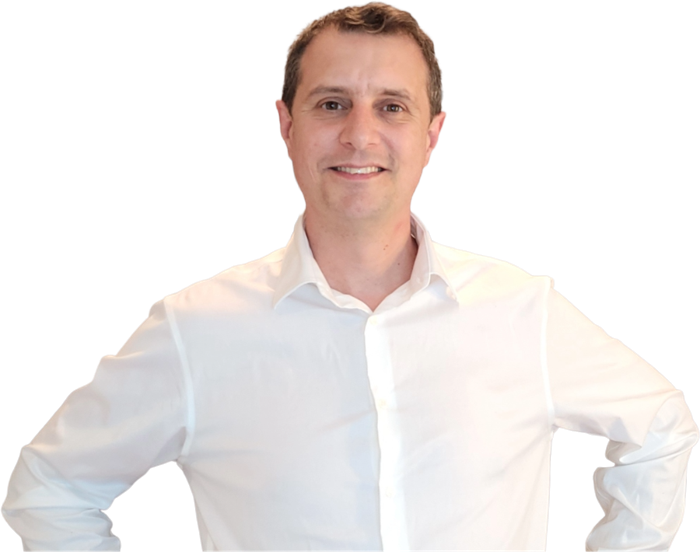
Clément Duval, founder and trainer at Video Stream Stack

Your trainer

Hi, I’m Clément Duval

I started in video streaming nearly 20 years ago as a junior support engineer. Nobody had the time to train me, so I learned on the job: I handled customer tickets before I really understood the technology, and I took a lot of time from the experts around me.

Later, as a technical team lead, I was for a while the only SCTE-35 expert in my team. I was called back from holidays to solve customer issues, and that is when I built my first training, so the knowledge would no longer sit with one person.

I then spent six years as Technical Training Director at a major streaming technology company. In 2026 I founded Video Stream Stack to help streaming teams get up to speed faster, with structured programmes and hands-on labs on live streams.

  • Nearly 20 years in OTT streaming
  • 6 years as Technical Training Director
  • CCIE Routing & Switching
  • Certified Kubernetes Administrator
  • Speaker at Paris and Madrid Video Tech 2026
  • Official training reference for iReplay.tv
See my profile on LinkedIn

FAQ

Frequently asked questions

Can’t find your answer? Ask me during the call or write to clement@videostreamstack.com.

How many people can attend?

Up to 15 participants per session.

Can you deliver the training live online?

Yes. The live online version also runs over two days of 7 hours, with the same labs and quizzes.

Which languages do you teach in?

English or French.

What do participants need to bring?

Their own laptop with a web browser and internet access. For onsite sessions, I only need a room with a screen or projector and a good Wi-Fi connection.

Will our firewall block the labs?

The labs and quizzes run online, so participants need access to the lab platform and to the learning platform. I send you the list of addresses to allow before the session.

Our team has mixed levels. Is that a problem?

No. The pre-assessment shows me the level of the group before the session, so I can adjust the pace.

What do participants receive at the end?

A nominative certificate of completion, and one month of free access to the matching online courses.

How much does it cost?

It depends on the format and the location, and we agree on the price during the call. Live online sessions cost less than onsite sessions. Onsite prices do not include travel and accommodation expenses.

How far ahead should we book?

About 6 weeks before the session.

When is payment due?

Payment is due 30 days before the session, when I book the flights and the accommodation.

Plan your session

Let’s find the right programme for your team

Book a 30-minute call with me. We will talk about your team and choose the programme, the format and the dates that suit you best.

  • Your team: roles, size and current level
  • The programme that fits the issues they meet every day
  • Format, dates and location: at your premises or live online
Clément Duval
Clément Duval Founder and trainer, nearly 20 years in OTT streaming, including 6 years as Technical Training Director at a major streaming technology company

Prefer to write? clement@videostreamstack.com